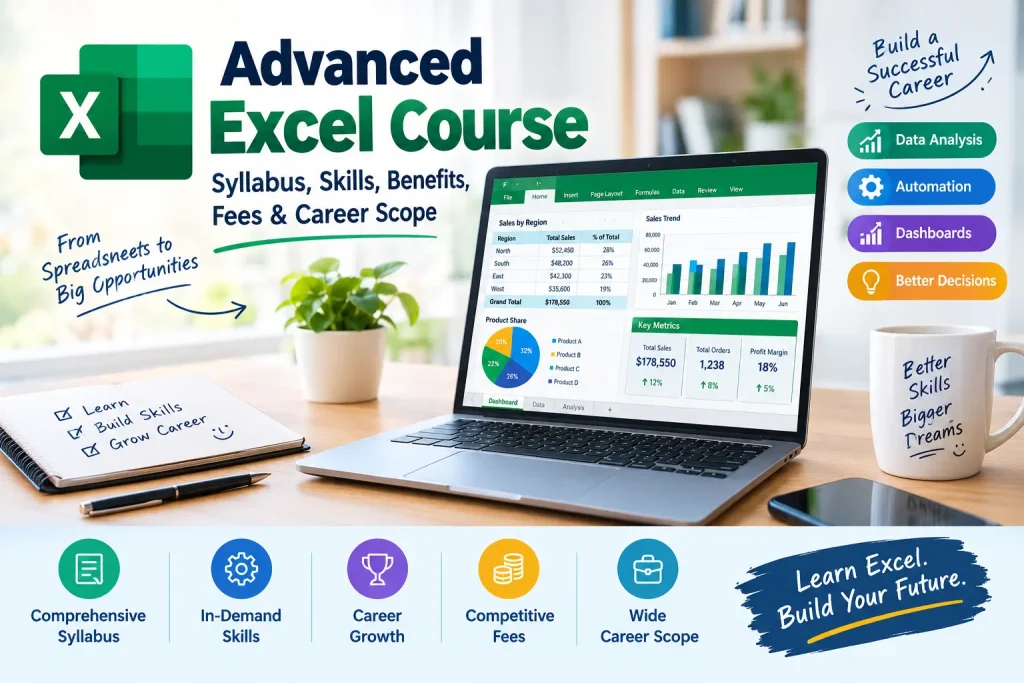
Advanced Excel Course: Syllabus, Skills, Benefits, Fees & Career Scope.

In today’s world, which depends a lot on data, an Advanced Excel course is very popular. Every business, every company, and every part of a company needs someone who knows Advanced Excel well. Companies use Excel a lot for reports, managing data, showing data visually and making decisions. An Advanced Excel training gives people tools like Pivot Tables, Power Query, Macros, VBA, Dashboards, and advanced formulas. These tools make people very useful in the job market.
What is an Advanced Excel Course?
An advanced Excel training is a type of training that helps people improve their skills with spreadsheets and automation. It helps people go beyond spreadsheet work and learn more complex ways to analyse data, make reports, and automate tasks. This kind of course helps people do tasks faster and make better decisions. It can help people get a job in finance, business, or analysis.
This makes work faster and decisions better. The course also makes you more likely to get a job because many companies look for people who’re good with Excel. Whether you are a student, someone looking for a job, or a working professional, Advanced Excel can help you do better at work and get jobs.
What is the syllabus of an Advanced Excel Training?
The topics might be a little different depending on the Advanced Excel Course Syllabus of the institute. Most of the time, they cover similar things.
1. Excel Basics
- Managing. Worksheets
- Formatting and conditional formatting
- Data entry methods
- Cell references and named ranges
- Excel shortcuts
2. Advanced Functions
- IF, Nested IF AND OR
- SUMIF, SUMIFS, COUNTIF, COUNTIFS
- VLOOKUP, HLOOKUP
- INDEX and MATCH
- XLOOKUP
- Text functions (LEFT, RIGHT, MID, CONCAT, TRIM)
- Date and time functions
- Statistical functions
3. Data Management
- Sorting and filtering
- Data validation
- Removing duplicates
- Text to columns
- Flash fill
- Data cleaning methods
4. Pivot Tables and Pivot Charts
- Making pivot tables
- Summarizing data
- Slicers. Timelines
- Interactive reports
- Pivot charts
5. Data Visualization
- Charts and graphs
- charts
- Conditional formatting
- KPI reports
- Creating dashboards
6. Power Query and Power Pivot
- Changing data
- Data modeling
- Working with large sets of data
- Creating data relationships
Thinking About Learning Advanced Excel?
7. Vba
- Recording macros
- Basic VBA
- Automating tasks that repeat
- User forms
- Automating reports
8. Financial and Business Analysis
- What-if analysis
- Goal seek
- Scenario manager
- Budgeting and forecasting
- MIS reporting
9. Real-World Projects
- Sales dashboard
- Financial reporting dashboard
- HR analytics dashboard
- Inventory management reports
Who Should Take This Course?
This course is good for:
- Students and recent graduates
- Working professionals
- Accountants
- Finance professionals
- MIS executives
- HR professionals
- Data analysts
- Business analysts
- Entrepreneurs and business owners
Is doing an Advanced Excel Course online Worth It in 2026?
Yes, it is. Even though there are tools for data analysis, Excel is still one of the most used tools in business around the world. New courses now have Power Query, Power Pivot, dashboards, automation, and even AI features. This makes Excel more important than ever for people who want to do work and have better job chances.
What are the Advanced Excel course Eligibility and Educational Requirements?
One of the parts of this Course is that it does not require a lot of education. Most schools and online places welcome people from all kinds of backgrounds.
Basic Requirements
- Pass – Some courses accept students after 10th grade.
- Pass – This is preferred for certification programs.
- Graduates – Best for people who want to get jobs.
- Working professionals – Good for people in finance, accounting, HR, sales, operations, and administration.
Skills Needed
You don’t need to know programming.. It helps to know:
- Basic computer skills
- Understanding of basic Excel (rows, columns, worksheets)
- Interest in data analysis and reports
- Basic math skills
How long does an Advanced Excel course take?
A typical Advanced Excel training can take 4 to 12 weeks to complete, based on the structure of the course and the speed of the trainee. The completion time will depend on whether one opts for a short course or a thorough one that covers all aspects of Excel.
The Advanced Excel Course Duration
The duration of the Course depends on the training format and learning level:
| Course Type | Duration |
| Basic to Advanced Certification | 1–3 months |
| Weekend Batch | 6–12 weeks |
| Fast-Track Course | 15–30 days |
| Self-Paced Online Course | 20–60 hours |
| Corporate Training Program | 2–6 weeks |
| Advanced Excel with VBA & Power BI | 2–6 months |
How much does an Advanced Excel course cost in India?
In India, the typical cost of taking an Advanced Excel training will be from ₹3,000 to ₹15,000, which can vary with the institute, duration of the course, certification, and mode of training.
Top 10 Training Institutes in India (2026) –Advanced Excel Course Fees Range Comparison
| Rank | Name of the institute | Fee Range |
| 1 | Henry Harvin | ₹6,750–₹7,500 |
| 2 | ExcelR | ₹10,000–₹18,000 |
| 3 | Intellipaat | ₹8,000–₹15,000 |
| 4 | Simplilearn | ₹6,000–₹15,000 |
| 5 | AnalytixLabs | ₹16,000–₹20,000 |
| 6 | IMS Proschool | ₹10,000–₹20,000 |
| 7 | Keerti Institute | ₹5,000–₹12,000 |
| 8 | Compufield Computer Institute | Around ₹7,500 |
| 9 | NIIT | ₹8,000–₹20,000 |
| 10 | upGrad Campus | Around ₹40,000 |
Benefits of Taking an Advanced Excel Training
This Course can help improve your skills and chances for a job in a world that uses a lot of data. The course helps you learn formulas, Pivot Tables, dashboards, data visualization, Power Query, and tools for automation. These skills are useful in fields like finance, accounting, HR, sales, marketing, operations, and data analysis. You can automate tasks that repeat, make reports that’re accurate, and analyse business data better, which makes work faster and decisions better. The course also makes you more likely to get a job because many companies look for people who’re good with Excel. Whether you are a student, someone looking for a job, or a working professional, this course can help you do better at work and get jobs
Key Benefits in Short
- Improves how you analyze data and make reports
- Makes work faster and more efficient
- Helps with tasks with Macros and VBA
- Helps make professional dashboards and reports
- Improves decision-making with data insights
- Helps you get a job in many different industries
- Makes your resume better and your profile stronger
- Helps your career grow in finance, HR, MIS, and analytics
- Saves time with easier calculations and data work
- Opens up chances for higher-paying jobs and promotions.
How to Build a Successful Career?

It is a useful skill, but real career growth comes from using it with real work and other tools. Here is a step-by-step path to help you build a career.
Step 1: Learn the Basics of Advanced (0–2 Months)
- Learn formulas and functions
- Practice with Pivot Tables and Pivot Charts
- Make interactive dashboards
- Learn to clean data and make reports
- Understand Macros and basic VBA
Goal: Be able to handle business data.
Step 2: Work on Real Projects (2–3 Months)
- Build a portfolio with:
- Sales Dashboard
- HR Analytics Dashboard
- Inventory Management Tracker
- Financial Reporting Dashboard
- MIS Reports
Goal: Show your skills to employers with work.
Step 3: Learn Other Advanced Excel Skills (3–6 Months)
Learn Complementary Skills (3–6 Months)
- To increase your market value, learn:
- Power BI for data visualization
- SQL for database management
- Basic Statistics for analytics
- Power Query and Power Pivot
- Business Communication Skills
Goal: Transition from an Excel user to a data professional.
Step 4: Apply for Entry-Level Roles (4–8 Months)
Target positions such as:
- MIS Executive
- Data Entry Analyst
- Reporting Executive
- Operations Executive
- Excel Specialist
- Junior Data Analyst
- Business Support Associate
Step 5: Gain Industry Experience (1–3 Years)
Focus on:
- Automating reports
- Creating business dashboards
- Analyzing company data
- Working with cross-functional teams
- Improving reporting processes
Goal: Become the go-to person for reporting and data management.
Step 6: Move into Specialized Roles (2–5 Years)
After gaining experience, progress to:
- Data Analyst
- Business Analyst
- Financial Analyst
- MIS Manager
- Operations Analyst
- Reporting Analyst
Expected Salary: ₹5–12 LPA
Step 7: Upgrade to Advanced Analytics (3–6 Years)
Learn:
- Power BI (Advanced)
- SQL (Advanced)
- Python
- Tableau
- Data Analytics
- AI Tools for Data Analysis
Goal: Future-proof your career and qualify for high-growth analytics roles.
Excel Your Advanced Excel Skills With Henry Harvin

Henry Harvin is one of India’s well-known training institutes that offers professional courses in areas like Advanced Excel, Data Analytics, Digital Marketing, SAP, Finance, and more. Founded in 2013, the institute focuses on helping students, freshers, and working professionals gain practical skills that are useful in real jobs. Its courses include live online classes, hands-on projects, certification, and placement support. Over the years, Henry Harvin has trained thousands of learners across India and abroad. The institute is especially popular among professionals who want to upgrade their skills, improve their career prospects, or switch to a better job role.
Key Highlights of the Advanced Excel Certification course at Henry Harvin
- 1 Mock Interview and 1 Hackathon
- Upgrade to SAMADHAN Govt. Certifications and earn credits for related jobs
- Upgrade to Sector Skill Council Certification
- Upgrade to globally recognized Swiss Certification from Dunster Business School, Switzerland
- Earn Advanced Excel certification from Henry Harvin®, a Govt. of India-recognized & award-winning institute, and NSDC Certification
- Get Internship Support in top MNCs like J.P. Morgan and Accenture via Yuva Intern
- Get 3-in-1 placement support through Placement Drives, Premium access to the job portal & Personalized Job Consulting
- 36 Guided Hands-On Exercises
What you’ll Learn in this course
- Advanced Formulas and Functions
- Advanced Filtering and Sorting Techniques
- Data Validation Rules
- Consolidating Data from Multiple Sources
- Data Visualisation Techniques
- Recording and Editing Macros
Why Henry Harvin for the Advanced Excel training?
- Certified and experienced instructor
- Gold membership for post-training follow-ups
- Tailor-made training
- Flexible schedule
- Access to recorded sessions
- We offer a unique and comprehensive 9-in-1 program that combines training, projects, internship, certification, placement, e-learning, masterclass, hackathons, and Gold Membership
- One-to-one training
Henry Harvin Reviews For Advanced Excel Training
Khushi Jha, 4.7/5
Anyone looking for a career as an MIS Professional, this course is a must. I have recently upgraded myself from basic Excel to Advanced Excel from Henry Harvin. It strengthened my technical proficiency, analytical skills, and ability to efficiently manage a large set of data.
Ready to Start Learning Advanced Excel ?
Career Opportunities in Advanced Excel
An Advanced Excel certification can open doors to rewarding career paths in different industries like finance, IT, retail, healthcare, logistics, and e-commerce. One of the common jobs people go for is Data Analyst. In this role, professionals use Excel to dig into data, build reports, and uncover insights that help companies make smart choices. If someone enjoys business operations, they might choose to become an Operations Manager. This job involves managing processes, keeping track of key performance indicators, and finding ways to work more efficiently.
For those with a background in finance roles, such as Financial Auditor, Treasury Manager, or Accountant are a fit. These jobs rely on Excel skills to handle budgeting, financial forecasts, reporting, and keeping things compliant with rules. In supply chain management, people often take on roles like Supply Chain Expert or Inventory Manager. They depend on Excel to manage stock levels, predict what products will be needed, and improve how goods move from one place to another.
Advanced Excel also helps Business Consultants who advise companies on solving problems using data strategies. With the digital economy growing, E-commerce Analysts and Product Managers use Excel every day to monitor sales results, study customer habits, and understand product trends. Pay for these jobs varies a lot based on experience, the industry, and extra skills. People in these fields can earn between ₹3 LPA and ₹15 LPA or even more.
When combined with tools like Power BI, SQL, or Python, advanced Excel becomes a strong base for long-term growth. It can lead to paying analytical jobs and leadership positions over time. Having a command of Excel makes it easier to step into roles where data and decisions go hand in hand.
Career Scope After Certification in Advanced Excel
| Career Role | Key Responsibilities | Industries |
|---|---|---|
| MIS Executive | Prepare reports, dashboards, and business data summaries | IT, Finance, Retail, Manufacturing |
| Data Analyst | Analyse data, identify trends, and create visual reports | IT, Banking, Healthcare, E-commerce |
| Business Analyst | Analyse business data and support decision-making | Consulting, IT, Finance |
| Financial Analyst | Create financial models, budgets, forecasts, and reports | Banking, Finance, Corporate |
| MIS Analyst | Manage large datasets and automate regular reports | IT, BPO, Operations |
| Accounts Executive | Manage financial records, reconciliations, and calculations | Accounting, Finance, SMEs |
| Operations Executive | Track performance, inventory, productivity, and operational data | Logistics, Manufacturing, E-commerce |
| Reporting Analyst | Develop recurring reports and performance dashboards | IT, BPO, Telecom |
| HR Analyst | Analyse employee data, attendance, payroll, and workforce trends | HR, Corporate, Consulting |
| Sales Analyst | Track sales performance, targets, revenue, and customer data | Retail, E-commerce, FMCG |
| Marketing Analyst | Analyse campaign performance, customer data, and marketing metrics | Marketing, Advertising, E-commerce |
| Project Coordinator | Track project timelines, budgets, resources, and progress | IT, Construction, Consulting |
Skills That Can Increase Your Career Scope
- To get better opportunities, combine Advanced Excel with:
- Power BI – for interactive dashboards and business intelligence
- SQL – for working with databases
- Power Query – for data cleaning and transformation
- VBA – for Excel automation
- Basic statistics – for meaningful data analysis
- Business communication – for presenting findings clearly
Talk to a Advanced Excel Course Expert
What salary can I expect after learning Advanced Excel?
Once one learns Advanced Excel, then one can expect to start their career with a salary ranging between ₹3-6 LPA in India, depending upon the designation, experience, geographical location, and other skills that one may have.
Salary Scope
| Job Role | Approx. Salary Range in India | Experience Level |
|---|---|---|
| MIS Executive | ₹2.5–5 LPA | Fresher–3 years |
| Excel Data Analyst | ₹3–7 LPA | Fresher–4 years |
| Business Analyst | ₹4–9 LPA | 1–5 years |
| Financial Analyst | ₹4–10 LPA | 1–5 years |
| Reporting Analyst | ₹3–7 LPA | Fresher–4 years |
| Operations Executive | ₹2.5–6 LPA | Fresher–4 years |
| HR Analyst | ₹3–7 LPA | Fresher–4 years |
| Sales Analyst | ₹3–8 LPA | Fresher–5 years |
| Accounts Executive | ₹2.5–6 LPA | Fresher–5 years |
| Data Analyst | ₹4–10 LPA | 1–5 years |
Concluding Thoughts
Advanced Excel continues to be one of the most important professional skills in 2026, as it is no longer just about spreadsheets. Today, Advanced Excel includes data analysis, automation, dashboard creation, reporting, and business intelligence. These capabilities are used across industries. Whether you are a student, a job seeker, an accountant, an MIS executive, or an HR business analyst, mastering Excel can greatly improve your productivity. Help you grow your career. When you combine Excel with tools such as Power BI, SQL, and VBA, professionals gain the ability to take on analytics and decision-making roles. Investing in an Advanced Excel program is not about learning software. It is about building a skill set that helps you work smarter and make data-driven decisions. Stay competitive in today’s changing job market.
Recommended Reads
- Power BI Course: Syllabus, Duration, Eligibility, Fees & Career Scope
- Henry Harvin Data Analytics Course Reviews
- Power BI vs Tableau: Which is Easy to Learn
- Top 10 Supply Chain Management Tools
Frequently asked question
1. What is an Advanced Excel Course?
An Advanced Excel training teaches data analysis, automation, dashboards, formulas, Pivot Tables, VBA, and reporting techniques.
2. Who should enrol in an Advanced Excel Course?
Students, working professionals, accountants, HR executives, MIS professionals, and business analysts can benefit from this course.
3. Do I need programming knowledge to learn Advanced Excel?
No, you do not need programming knowledge. Basic computer and Excel skills are usually enough to get started.
4. How long does it take to complete an Advanced Excel Course?
Most certification programs can be completed within a week to a month.
5. Is Advanced Excel still relevant in 2026?
Yes, Excel remains one of the widely used tools for reporting, analysis, and business decision-making.
Ready to Build Your Career in the UAE?
Industry-focused programs with expert trainers, flexible batches and placement support.

Written by
Chanda Rani
I am a content writer who has done MCA (Master of Computer Applications). I have a strong interest in technology, data management, and business productivity tools. I am specialized in creating informative and easy-to-understand content on Advanced Excel, data analysis, business reporting, and workplace.
Related Articles